『스프링 입문 - 코드로 배우는 스프링 부트, 웹 MVC, DB 접근 기술』
강의를 수강하며 개인 학습 목적으로 정리한 내용입니다.
start.spring.io
스프링 프로젝트의 뼈대(기본 구조 + 설정 + 의존성)를 자동으로 만들어줌

Download -> 압축풀기 -> IntelliJ 에서 open -> build.gradle 선택
프로젝트 구조
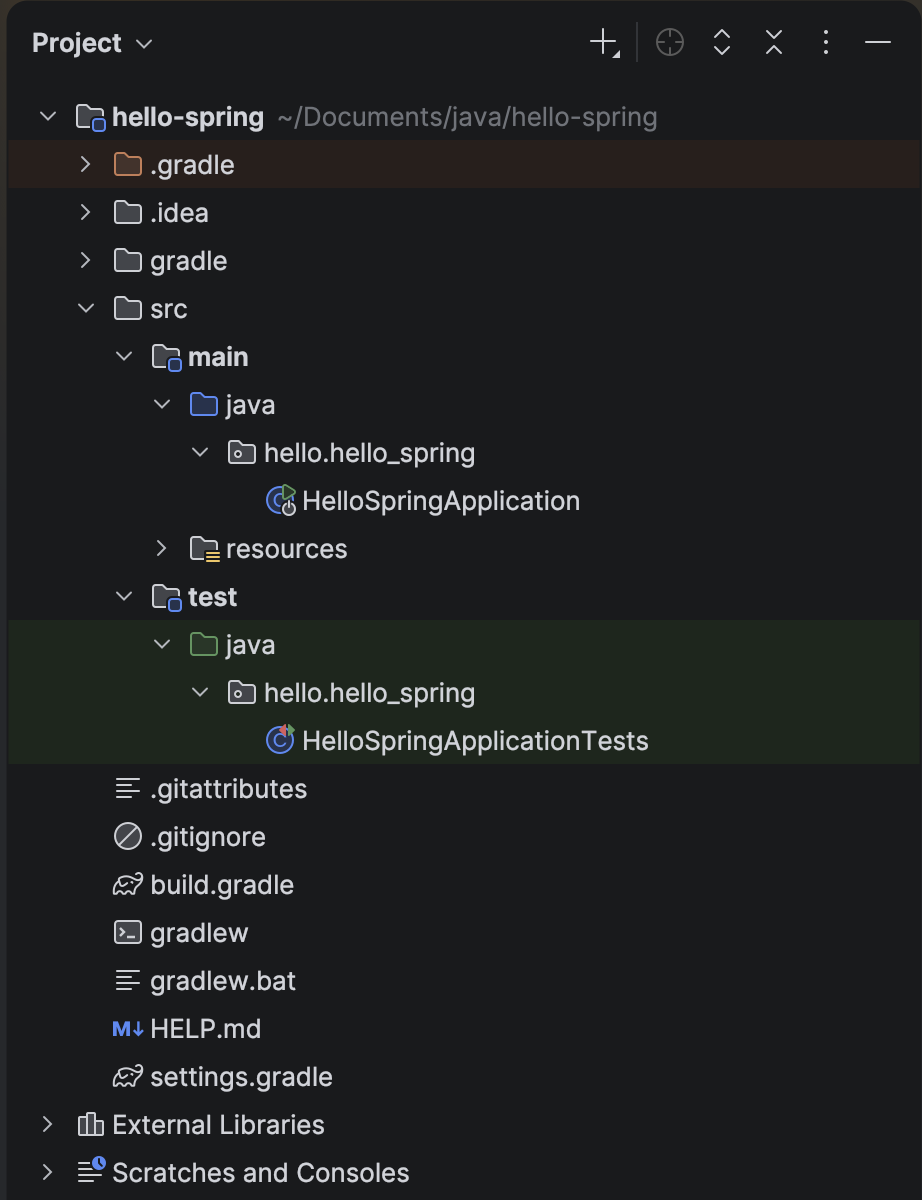
여기서 눈여겨볼 만한 파일은 build.gradle
역할은 버전 설정 + 라이브러리 다운로드라고 한다.
dependencies에 4개의 library가 있는데 얘네들은 repositories > mavenCentral 을 통해 다운로드 된다.
plugins {
	id 'java'
	id 'org.springframework.boot' version '3.5.11-SNAPSHOT'
	id 'io.spring.dependency-management' version '1.1.7'
}

group = 'hello'
version = '0.0.1-SNAPSHOT'
description = 'Demo project for Spring Boot'

java {
	toolchain {
		languageVersion = JavaLanguageVersion.of(17)
	}
}

repositories {
	mavenCentral()
	maven { url = 'https://repo.spring.io/snapshot' }
}

dependencies {
	implementation 'org.springframework.boot:spring-boot-starter-thymeleaf'
	implementation 'org.springframework.boot:spring-boot-starter-web'
	testImplementation 'org.springframework.boot:spring-boot-starter-test'
	testRuntimeOnly 'org.junit.platform:junit-platform-launcher'
}

tasks.named('test') {
	useJUnitPlatform()
}
HelloSpringApplication.java 실행
console 창이 열리며 실행된다.
  .   ____          _            __ _ _
 /\\ / ___'_ __ _ _(_)_ __  __ _ \ \ \ \
( ( )\___ | '_ | '_| | '_ \/ _` | \ \ \ \
 \\/  ___)| |_)| | | | | || (_| |  ) ) ) )
  '  |____| .__|_| |_|_| |_\__, | / / / /
 =========|_|==============|___/=/_/_/_/

 :: Spring Boot ::      (v3.5.11-SNAPSHOT)

2026-02-05T22:41:20.448+09:00  INFO 98148 --- [hello-spring] [           main] h.hello_spring.HelloSpringApplication    : Starting HelloSpringApplication using Java 17.0.17 with PID 98148 (/Users/jc/Documents/java/hello-spring/build/classes/java/main started by jc in /Users/jc/Documents/java/hello-spring)
2026-02-05T22:41:20.450+09:00  INFO 98148 --- [hello-spring] [           main] h.hello_spring.HelloSpringApplication    : No active profile set, falling back to 1 default profile: "default"
2026-02-05T22:41:20.806+09:00  INFO 98148 --- [hello-spring] [           main] o.s.b.w.embedded.tomcat.TomcatWebServer  : Tomcat initialized with port 8080 (http)
2026-02-05T22:41:20.811+09:00  INFO 98148 --- [hello-spring] [           main] o.apache.catalina.core.StandardService   : Starting service [Tomcat]
2026-02-05T22:41:20.811+09:00  INFO 98148 --- [hello-spring] [           main] o.apache.catalina.core.StandardEngine    : Starting Servlet engine: [Apache Tomcat/10.1.50]
2026-02-05T22:41:20.825+09:00  INFO 98148 --- [hello-spring] [           main] o.a.c.c.C.[Tomcat].[localhost].[/]       : Initializing Spring embedded WebApplicationContext
2026-02-05T22:41:20.825+09:00  INFO 98148 --- [hello-spring] [           main] w.s.c.ServletWebServerApplicationContext : Root WebApplicationContext: initialization completed in 351 ms
2026-02-05T22:41:20.967+09:00  INFO 98148 --- [hello-spring] [           main] o.s.b.w.embedded.tomcat.TomcatWebServer  : Tomcat started on port 8080 (http) with context path '/'
2026-02-05T22:41:20.971+09:00  INFO 98148 --- [hello-spring] [           main] h.hello_spring.HelloSpringApplication    : Started HelloSpringApplication in 0.681 seconds (process running for 1.041)
Tomcat started on port 8080 (http) with context path '/'
잘은 모르겠지만 서버가 띄워진 것 같다. (스프링부트 어플리케이션 내부에 웹 서버(톰캣)을 내장)

이 화면이 보인다면, 프로젝트 환경설정은 완료된 것
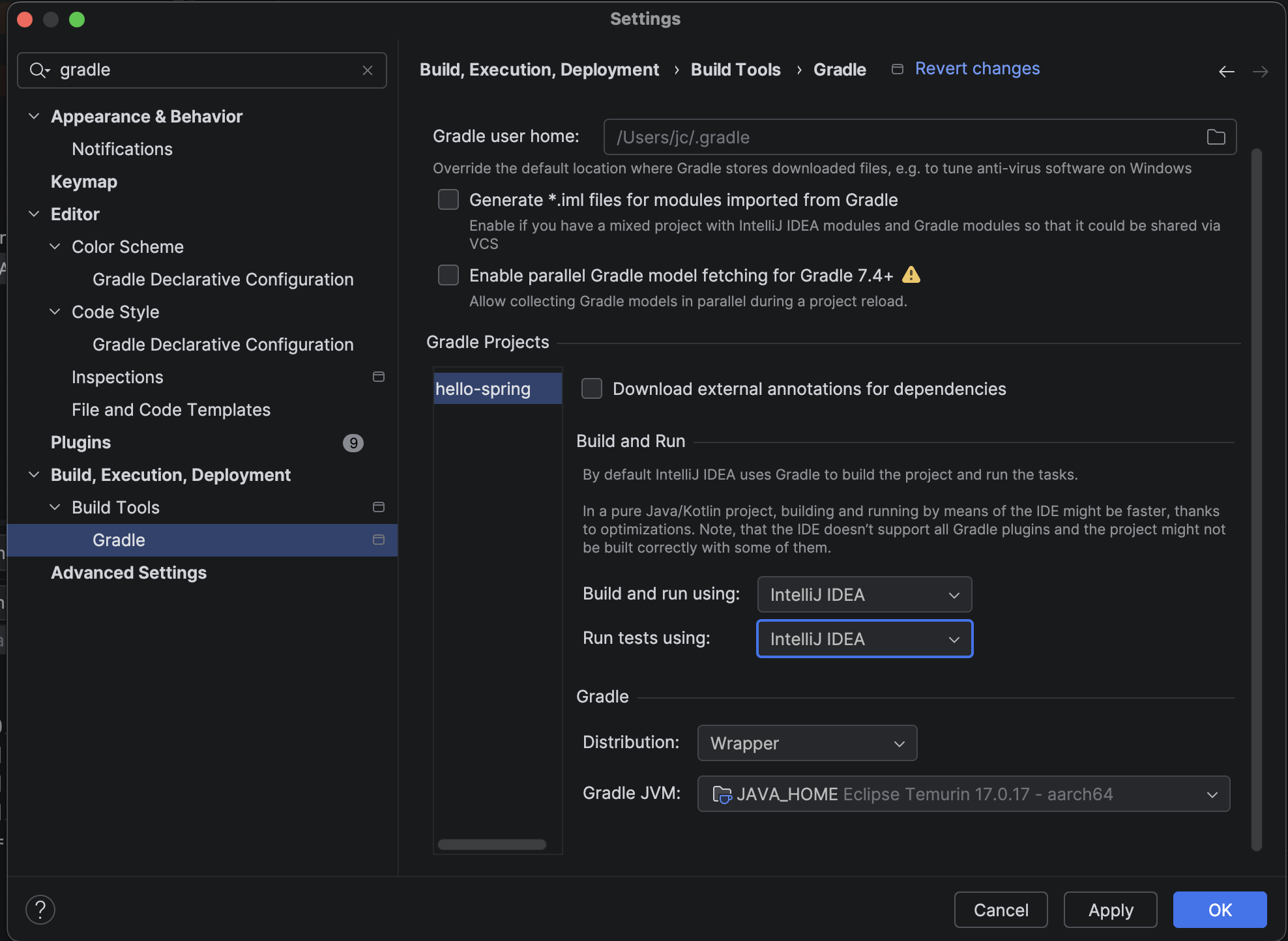
서버 실행 속도 올리기
settings > … > Gradle 에서 아래 두 항목 변경
기존의 Gradle이 아닌 IntelliJ IDEA로 설정하는 것이 더 빠르게 실행가능하다고 한다.
- Build and run using: IntelliJ IDEA
- Run tests using: IntelliJ IDEA
라이브러리 살펴보기
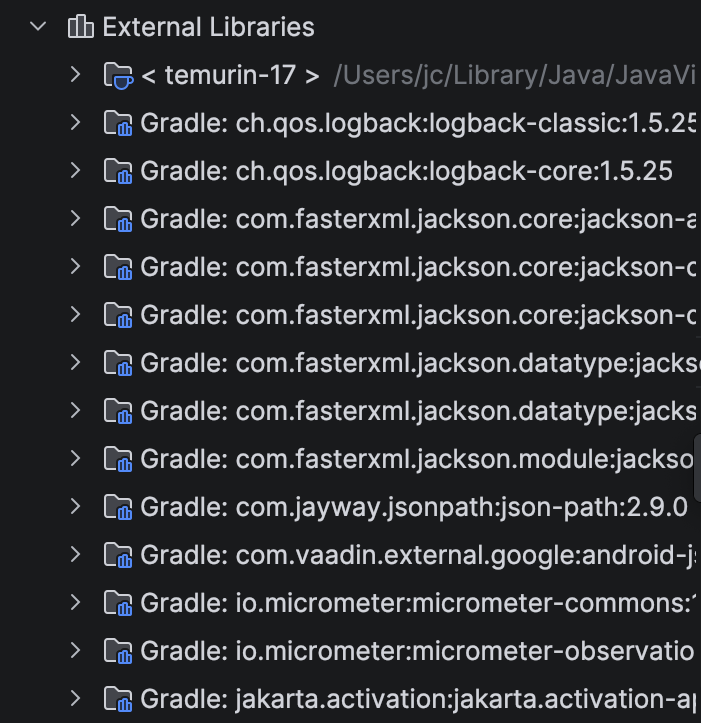
프로젝트 구조 하위에 보면 External Libraries가 있다.
build.grade > dependencies에 나열된 4개 보다 훨씬 많다.
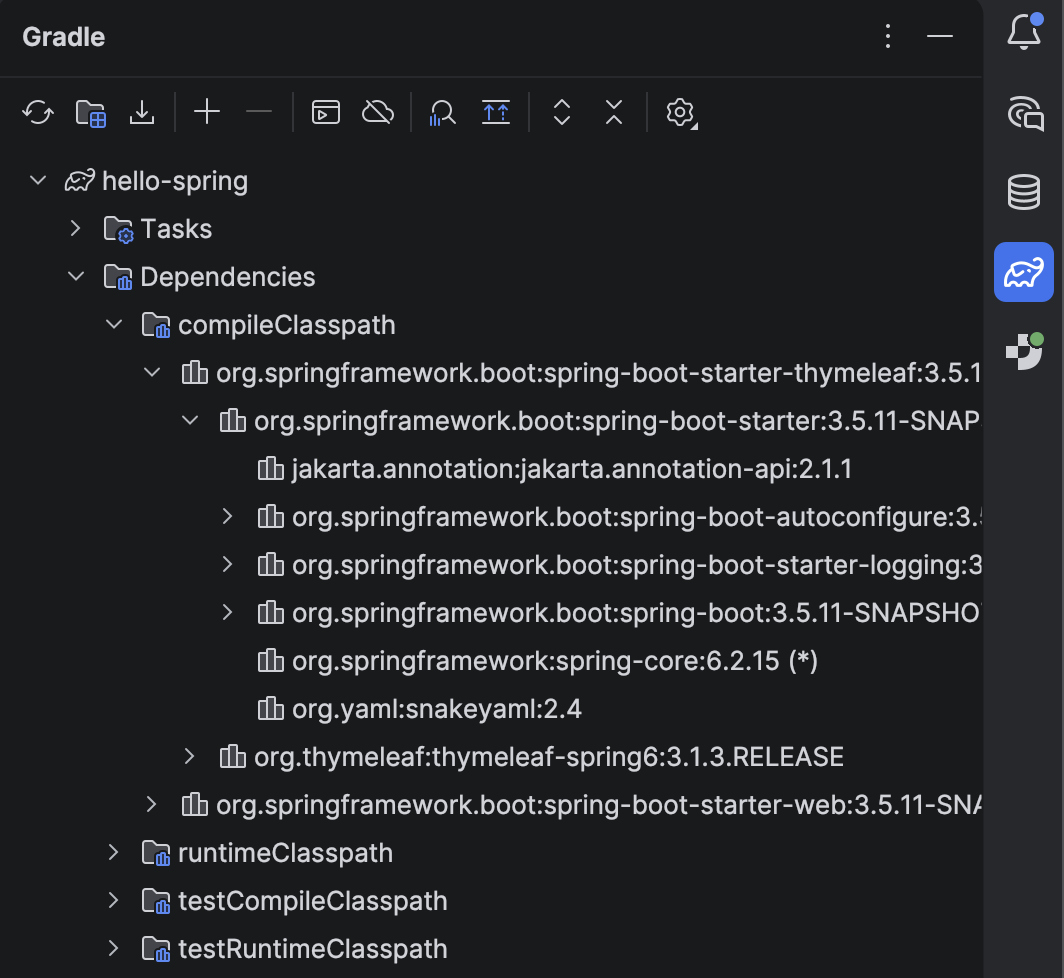
spring-boot-starter-web 하나만 다운로드해도 의존관계의 라이브러리들을 전부 다운로드 받기 때문에 아래처럼 많아진다.
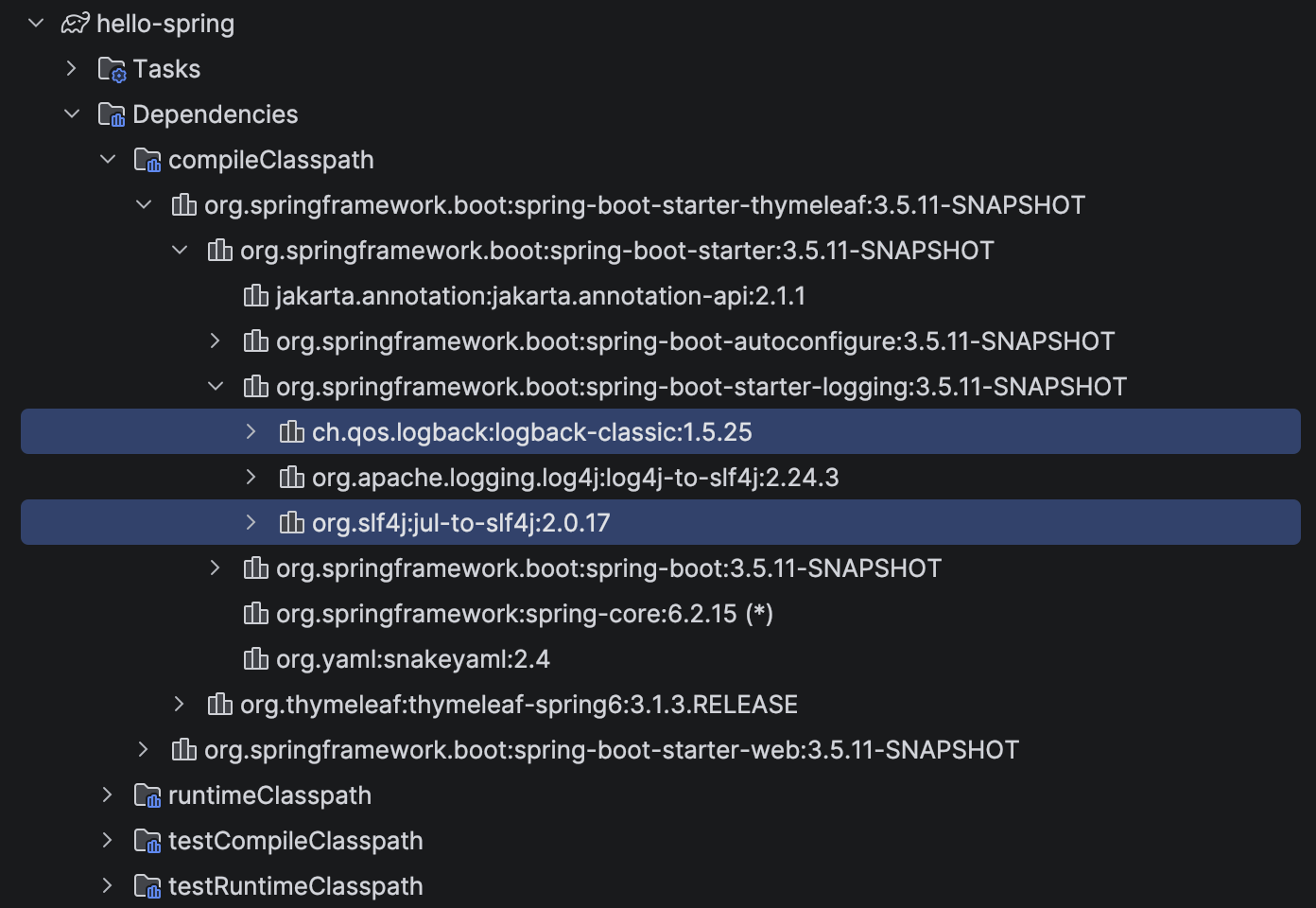
dependency 별로 의존하고 있는 하위 라이브러리들을 쉽게 확인할 수 있는 방법은, ide 우측의 코끼리 같은 아이콘을 누르면 된다.
참고로,
실무에서는 System.out.println 대신 다른 로깅 방식을 사용한다.
보통 logback과 slf4j 두 라이브러리를 함께 조합해 사용하는데,
사용 빈도가 매우 높아 사실상 표준처럼 스타터 팩에 포함되어 있다.
📚 Reference
『스프링 입문 - 코드로 배우는 스프링 부트, 웹 MVC, DB 접근 기술』 - 김영한
'Lecture > 스프링 입문 - 코드로 배우는 스프링 부트, 웹 MVC, DB 접근 기술' 카테고리의 다른 글
| 스프링 웹 개발 기초 (0) | 2026.02.07 |
|---|---|
| 프로젝트 환경 설정(2) - Welcome page (0) | 2026.02.07 |